
BRAOU-AP Online Portal: Student Login, Application Status, ABC ID and DEB ID
BRAOU-AP requires an ABC ID and DEB ID for ODL/Online programme admissions. The DEB ID became mandatory from the academic year 2024-25, October 2024 session. Students must create an ABC ID on abc.gov.in before generating a DEB ID. The DEB ID is created on the UGC-DEB portal at deb.ugc.ac.in. BRAOU-AP offers a student login portal, but specific login details are not published.
Dr. B.R. Ambedkar Open University, Eluru, Andhra Pradesh, requires students enrolling in its Open and Distance Learning (ODL) programmes to possess specific identification numbers for admission and academic processes. These include the Academic Bank of Credit (ABC) ID and the Distance Education Bureau (DEB) ID, which are mandatory for admissions from the academic year 2024-25. While the university provides a student login portal for various services, detailed information regarding specific login credentials, password recovery, or a comprehensive list of dashboard features is not explicitly published in the available official documents. Students must create their ABC ID and DEB ID on the respective national portals before proceeding with university admissions.
BRAOU-AP Student Login: Portal Access
Dr. B.R. Ambedkar Open University, Andhra Pradesh, provides a dedicated student login portal for its learners. Students can access this portal and other related services directly from the university’s official website. The homepage features options for “Student Login” and “New Registration” to manage academic activities.
The university’s main website also lists various student-centric services. These include options to download hall tickets, check exam grades, and access LMS portals for online classes. Students can also find a “Students Portal” for profiles and fees.
BRAOU-AP ABC ID: Mandatory Requirement
The Academic Bank of Credit (ABC) ID is a mandatory identification for students seeking admission to Dr. B.R. Ambedkar Open University, Andhra Pradesh, for its undergraduate programmes. This ID is a prerequisite for generating the DEB ID, which is essential for all Open and Distance Learning (ODL) and Online programmes. The creation of an ABC ID is a required step in the admission checklist for UG First Year programmes.
The University Grants Commission (UGC) mandated the creation of a unique DEB-ID from the academic year 2024-25, starting with the October 2024 session. Since the DEB-ID cannot be created without an ABC-ID, students must ensure they have a valid ABC ID. This ensures students are enrolling in recognized Higher Educational Institutions (HEIs) and approved programmes.
BRAOU-AP ABC ID: Step-by-Step Creation
Students must create their Academic Bank of Credit (ABC) ID through the official ABC web portal. This process involves several steps, starting with registration and verification using an Aadhaar-linked mobile number. The ABC ID, also known as APAAR ID, is a 12-digit unique identifier.
The creation process requires students to select Dr. B.R. Ambedkar Open University, Eluru, Andhra Pradesh, as their institution. After successful generation, students can view their ABC/APAAR ID and download their APAAR Card from the dashboard. This card serves as proof of the generated ID.
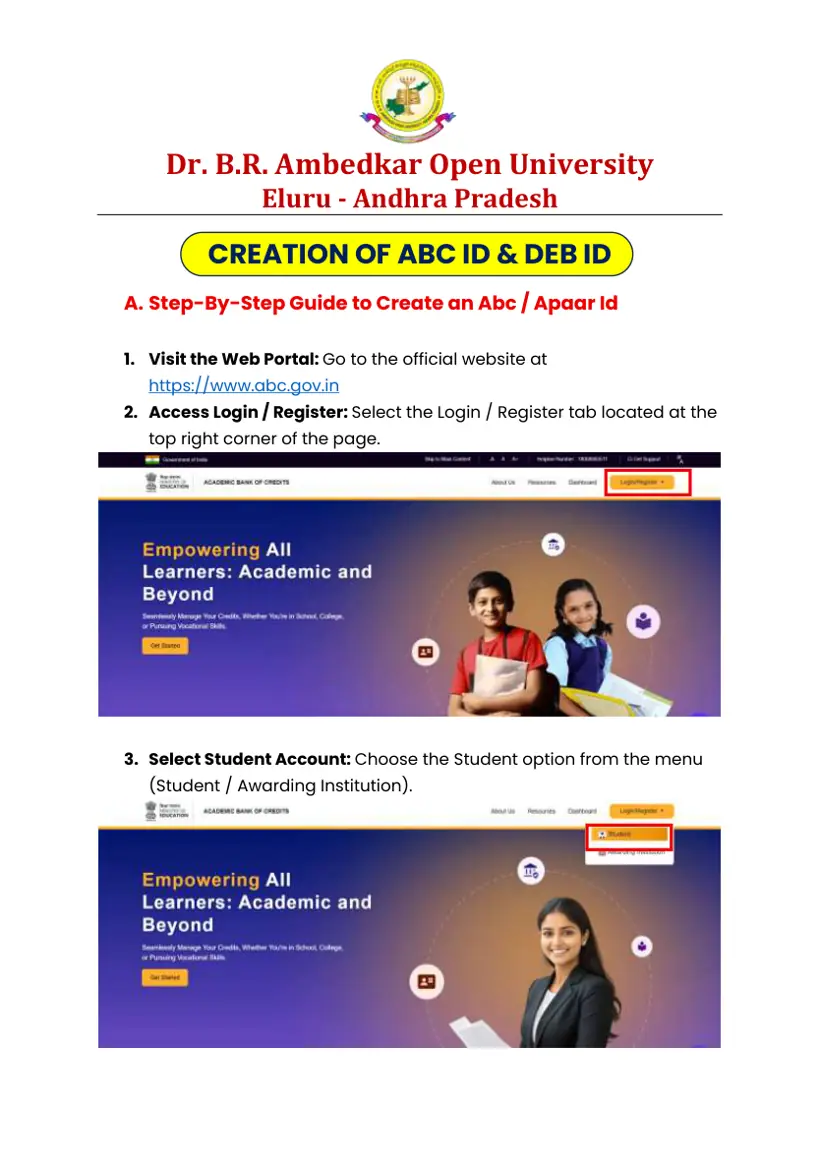
- Visit the official ABC web portal at digilocker.gov.in ↗.
- Select the “Login / Register” tab located at the top right corner of the page.
- Choose the “Student” option from the menu.
- Click on the “Sign Up” option for new student registration.
- Enter your Aadhaar-linked mobile number and click “Generate OTP”.
- Select the “OTP” option and click “Continue”.
- Enter the OTP received on your mobile phone and click “Sign In”.
- Authorize the portal to access your Name, Date of Birth, Gender, and Photo, then click “Continue”.
- Wait while the system processes your request.
- Complete the required fields in the form to generate your ABC ID.
- Select “None” under Identity Type, enter “Dr. B.R. Ambedkar Open University, Eluru, Andhra Pradesh” as your institution name, and click “Submit”.
- Your 12-digit ABC ID / APAAR ID will be generated and displayed on screen; click “Go to Dashboard”.
- On your dashboard screen, click the download button located at the top right corner to save your APAAR Card.
Next steps for BRAOU-AP students
BRAOU-AP ABC ID: Correction Steps
Students must ensure their APAAR/ABC Card details are accurate before proceeding with DEB ID creation. Any discrepancies in personal information like name, date of birth, or gender should be corrected first. An incorrect ABC/APAAR ID can lead to issues with DEB ID generation.
For any issues or discrepancies related to the ABC ID or APAAR ID, students should use the ABC Support Ticket System or the DigiLocker app. Alternatively, assistance can be sought by contacting the ABC support call center. After corrections, students must confirm their APAAR card is updated before creating their DEB ID.
- Check your APAAR card for any mistakes or missing details, such as your name, date of birth, or gender.
- For any issues or discrepancies in your ABC/APAAR ID, use the ABC Support Ticket System or the DigiLocker app. You may also contact the ABC support call center at 18008893511 for assistance.
- Confirm that your APAAR card is up-to-date once corrections are made.
- Only after confirming the APAAR card is correct, proceed with creating your DEB ID.
BRAOU-AP DEB ID: Mandatory Requirement
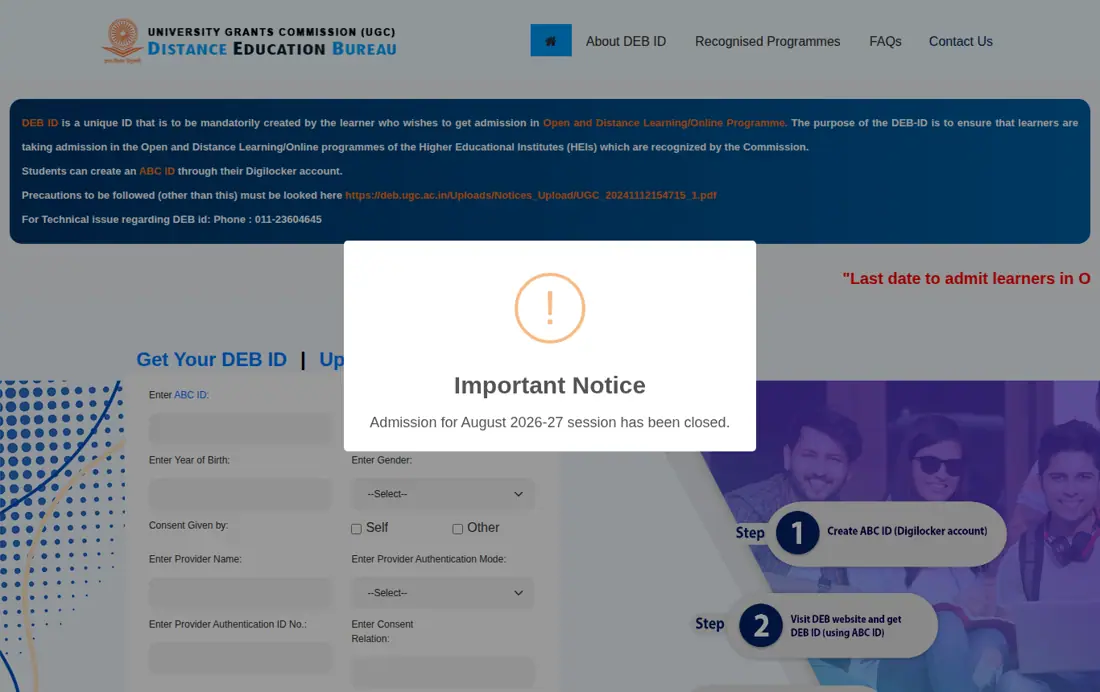
The DEB ID is a unique and mandatory identification for all learners enrolling in Open and Distance Learning (ODL) and Online programmes at Dr. B.R. Ambedkar Open University, Andhra Pradesh. This ID ensures that students are admitted to Higher Educational Institutions (HEIs) and programmes recognized by the University Grants Commission (UGC). The DEB ID is valid for the entire lifecycle of ODL/Online learning.
The UGC made the DEB-ID mandatory for admissions from the academic year 2024-25, specifically for sessions beginning October 2024. Students cannot enroll in any ODL/Online programmes without a valid DEB-ID. The creation of a DEB ID requires a pre-existing ABC ID.
BRAOU-AP DEB ID: Step-by-Step Creation
Students must create their DEB ID through the official UGC-DEB web portal. This process requires the student’s 12-digit ABC ID/APAAR ID, along with other personal details. The portal verifies the information provided to generate a unique DEB ID.
After entering all required details and confirming the declaration, students submit the application. A message displaying the newly generated DEB ID will appear on the screen. This ID is crucial for enrollment in ODL/Online programmes.
- ABC ID
- Aadhaar Name
- Year of Birth
- Gender
- Consent Place
- Captcha
- Permanent Email ID
- Phone Number
- Visit the official UGC-DEB student portal at deb.ugc.ac.in ↗.
- Click on the “student portal / create deb id” option on the homepage.
- Provide your 12-digit ABC ID / APAAR ID.
- Enter your Aadhaar Name, Year of Birth, and select your Gender.
- Select “Self” for the provider option and enter your Consent Place.
- Enter the Captcha displayed on the screen.
- Enter your permanent email ID and phone number.
- Check the declaration box confirming all details are correct and click “Submit Application”.
- Finally, submit the form; a message displaying your DEB ID will pop up on the screen.
BRAOU-AP DEB ID: Correction and Update Steps
Students can correct or update their DEB ID if it has already been created. This process is crucial to ensure all academic records are accurate and aligned with the information on the APAAR card. Corrections should only be made after verifying the accuracy of the ABC/APAAR ID.
To update DEB ID details, students must first ensure their APAAR card is correct and up-to-date. Any issues with the ABC/APAAR ID should be resolved through the ABC Support Ticket System or DigiLocker. Once the APAAR card is confirmed correct, students can proceed to update their DEB ID on the designated UGC-DEB portal.
- Check your APAAR card for any mistakes or missing details, such as your name, date of birth, or gender.
- For any issues related to your ABC ID / APAAR ID or any discrepancy, use the ABC Support Ticket System or the DigiLocker app. You may also contact the ABC support call center at 18008893511 for assistance.
- Confirm that your APAAR card is up-to-date once corrections are made.
- Only after confirming the APAAR card is correct, proceed with updating your DEB ID on the UGC-DEB update link.
BRAOU-AP Contact Information: Technical Support
For any technical assistance related to Dr. B.R. Ambedkar Open University, Andhra Pradesh, students can reach out to the dedicated technical team. The university provides various contact channels, including phone numbers and an email address. Support is available during specified working hours.
Students can contact the technical team for queries regarding their academic processes or portal access. The university also offers a toll-free helpline and a WhatsApp grievance number for broader support. These services operate Monday to Friday, from 10:00 AM to 6:00 PM.
BRAOU-AP Technical and General Support Contacts
| Service | Contact Detail |
|---|---|
| Technical Team Phone | +91 92479 71035 |
| WhatsApp Grievance | 83328 63344 |
| Toll-Free Helpline | 1800-425-4868 |
| Landline | 0866-2434868 |
| helpdeskdrbraouap@gmail.com | |
| Working Hours | Monday – Friday, 10:00 AM – 6:00 PM |
Upon logging in, students may access various services, although a comprehensive list of dashboard features is not provided. The university’s website highlights general services like downloading admit cards, checking results, and managing profiles and fees.
Quick reference
- University Name
- Dr. B.R. Ambedkar Open University, Eluru, Andhra Pradesh
- Mandatory IDs
- ABC ID, DEB ID
- Applicable Programmes
- Open and Distance Learning (ODL) and Online Programmes
- Mandatory From
- Academic Year 2024-25, October 2024 session
- ABC ID Creation Portal
- digilocker.gov.in ↗
- DEB ID Creation Portal
- deb.ugc.ac.in ↗
- DEB ID Validity
- Lifelong for ODL/Online learning
BRAOU-AP Online Portal: questions students ask
What is an ABC ID?
An ABC ID, also known as APAAR ID, is a 12-digit Academic Bank of Credit identifier. It is a unique ID that stores academic credits earned by a student from various Higher Educational Institutions. This ID is a prerequisite for generating the mandatory DEB ID for ODL/Online programmes.
Why is an ABC ID mandatory for BRAOU-AP students?
The ABC ID is mandatory for Dr. B.R. Ambedkar Open University, Andhra Pradesh, students because it is required for admission into UG First Year programmes. More importantly, it is a prerequisite for creating the DEB ID, which became mandatory for all ODL/Online programme admissions from the academic year 2024-25.
How do I create my ABC ID?
Students can create their ABC ID by visiting the official ABC web portal at abc.gov.in. The process involves registering with an Aadhaar-linked mobile number, providing basic details, and selecting Dr. B.R. Ambedkar Open University, Eluru, Andhra Pradesh, as the institution. After completion, the 12-digit ID is generated.
What is a DEB ID?
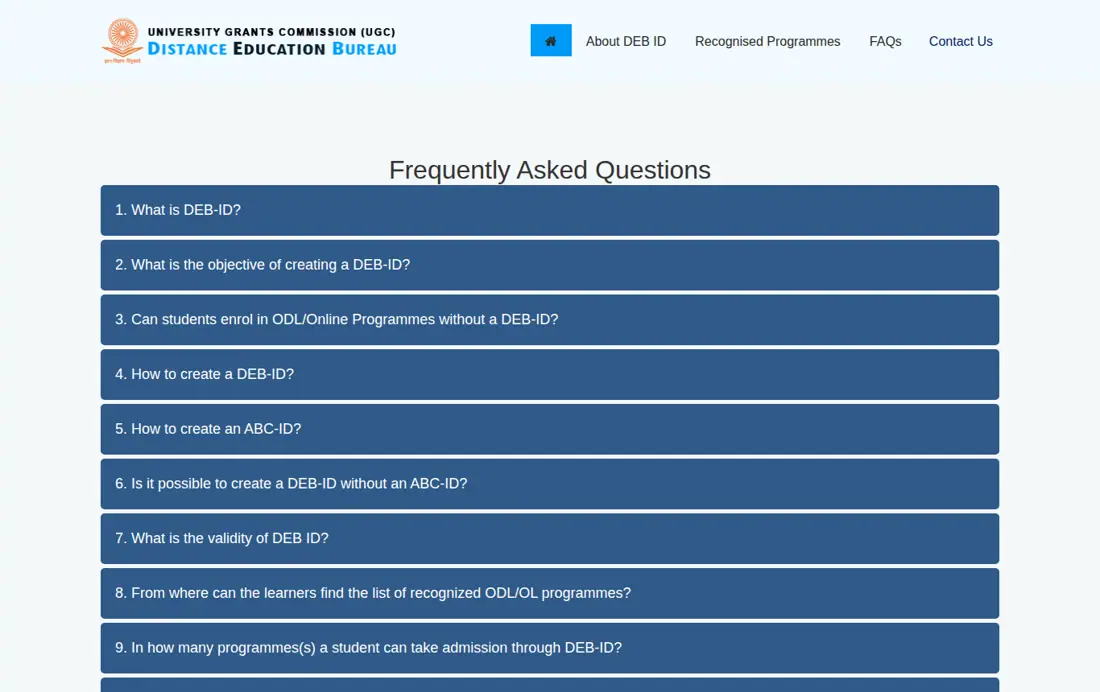
The DEB ID is a unique identification number mandated by the University Grants Commission (UGC) for learners in Open and Distance Learning (ODL) and Online programmes. Its purpose is to ensure students enroll in HEIs and programmes recognized by the Commission. This ID remains valid for the entire lifecycle of ODL/Online learning.
Why is a DEB ID mandatory for BRAOU-AP students?
The DEB ID is mandatory for Dr. B.R. Ambedkar Open University, Andhra Pradesh, students enrolling in ODL/Online programmes from the academic year 2024-25, starting with the October 2024 session. Students cannot enroll in these programmes without a valid DEB-ID. It ensures admission into UGC-recognized institutions and approved programmes.
Can I create a DEB ID without an ABC ID?
No, students cannot create a DEB ID without a valid ABC ID. The Academic Bank of Credit (ABC) ID is a mandatory prerequisite for registering on the UGC-DEB web portal to generate a unique DEB ID. Students must ensure their ABC ID is created and accurate first.
How do I create my DEB ID?
Students can create their DEB ID by registering on the UGC-DEB portal using their ABC ID. The process involves providing the 12-digit ABC ID, Aadhaar name, year of birth, gender, and contact details. After submitting the application, the unique DEB ID will be displayed on the screen.
What is the validity of a DEB ID?
Once generated on the UGC-DEB web portal, the DEB ID remains valid for lifelong ODL/Online learning. This means students can use the same DEB ID for any future ODL/Online programmes they pursue. It does not expire after a single admission or programme completion.
How can I correct my ABC ID details?
To correct ABC ID details, students should first check their APAAR card for any inaccuracies in name, date of birth, or gender. For discrepancies, use the ABC Support Ticket System or the DigiLocker app. Alternatively, contact the ABC support call center at 18008893511 for assistance.
How can I update my DEB ID details?
Students can update their DEB ID details by first ensuring their APAAR card is correct and up-to-date. Any issues with the ABC/APAAR ID must be resolved before updating the DEB ID. Once the APAAR card is confirmed accurate, proceed to update the DEB ID on the UGC-DEB update link.
Where to do it: BRAOU-AP Online Portal portals and PDFs
- Create ABC ID on DigiLockerdigilocker.gov.in ↗
- Generate DEB ID on UGC Portaldeb.ugc.ac.in ↗
- Update Your DEB Detailsdeb.ugc.ac.in ↗
- BRAOU-AP Help and Contactdrbraouap.ac.in ↗
- APAAR ID Dashboarddigilocker.gov.in ↗
- DEB ID FAQsdeb.ugc.ac.in ↗
- BRAOU-AP ABC ID and DEB ID Creation Guide PDF — ABC ID Creation Guide
- here PDF — UGC Circular on DEB ID
- BRAOU-AP UG First Year Admission Checklist Prospectus PDF — UG First Year Admission Checklist
- BRAOU-AP ABC ID Creation Step-by-Step Guide 2023 PDF — ABC ID Creation Step-by-Step Guide 2023
In this section