
BRAOU-AP Online Portal: Student Login, Application Status, ABC ID and DEB ID
BRAOU-AP students must generate a 12-digit ABC ID on DigiLocker before enrolling in distance learning programmes. A mandatory UGC DEB ID is required for all BRAOU-AP distance admissions and remains valid lifelong. Admitted learners can log in to the BRAOU-AP portal to download official identity cards and check profile fees. Corrections to ABC ID details must be submitted via the ABC Support Ticket System before updating DEB ID records.
Dr. B.R. Ambedkar Open University, Andhra Pradesh, also known as Dr. B.R. Ambedkar Open University, Eluru or BRAOU-AP, provides distance learning across 76 study centres and 12 regional centres. For active academic sessions, admitted students access their profiles, fee records, and digital student ID cards through the official university portal. Registration for undergraduate and postgraduate distance courses requires candidates to generate both a 12-digit Academic Bank of Credits ID and a lifelong Distance Education Bureau ID.
BRAOU-AP student login portal: registered candidate profile access
BRAOU-AP provides an official online portal for 40,000 active students across 76 study centres in Andhra Pradesh. Admitted candidates log in using their registered credentials to access personal profiles, fee details, and digital student identity cards.
The official student portal is managed from the temporary headquarters at Vijayawada and connects to 12 regional centres. All admitted learners must download their identity cards directly from their student login account after completing admission formalities.
- Access personal learner profile and enrollment details
- View and verify academic fee payment records
- Download official BRAOU-AP student identity card
- Access online classes, lectures, and LMS portals
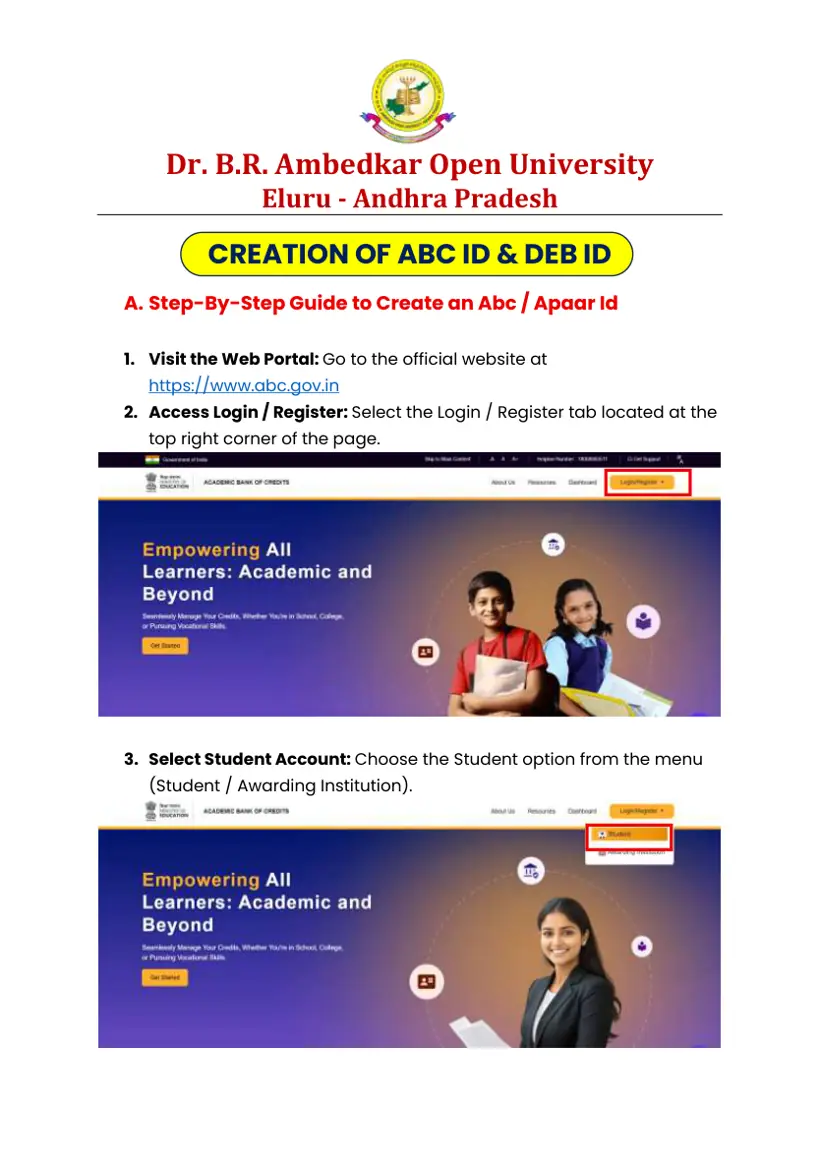
BRAOU-AP ABC ID creation: Aadhaar linked DigiLocker portal
BRAOU-AP requires every applicant to create a 12-digit Academic Bank of Credits ID before filling the online admission form. Candidates register through DigiLocker or the official ABC portal using an Aadhaar-linked mobile number.
- Visit the official ABC web portal at Create ABC ID on DigiLocker or abc.gov.in and select the Login / Register tab.
- Choose the Student option from the menu and click on Sign Up for new registration.
- Enter your Aadhaar-linked mobile number and click Generate OTP to receive a security code.
- Select the OTP option, enter the received code on screen, and click Sign In.
- Authorize the portal to access your name, date of birth, gender, and photograph, then click Continue.
- Under Identity Type select None, enter Dr. B.R. Ambedkar Open University, Eluru, Andhra Pradesh as your institution name, and click Submit.
- View your generated 12-digit ABC ID or APAAR ID on screen and click Go to Dashboard.
- Click the top-right download button on the dashboard screen to save your APAAR card.
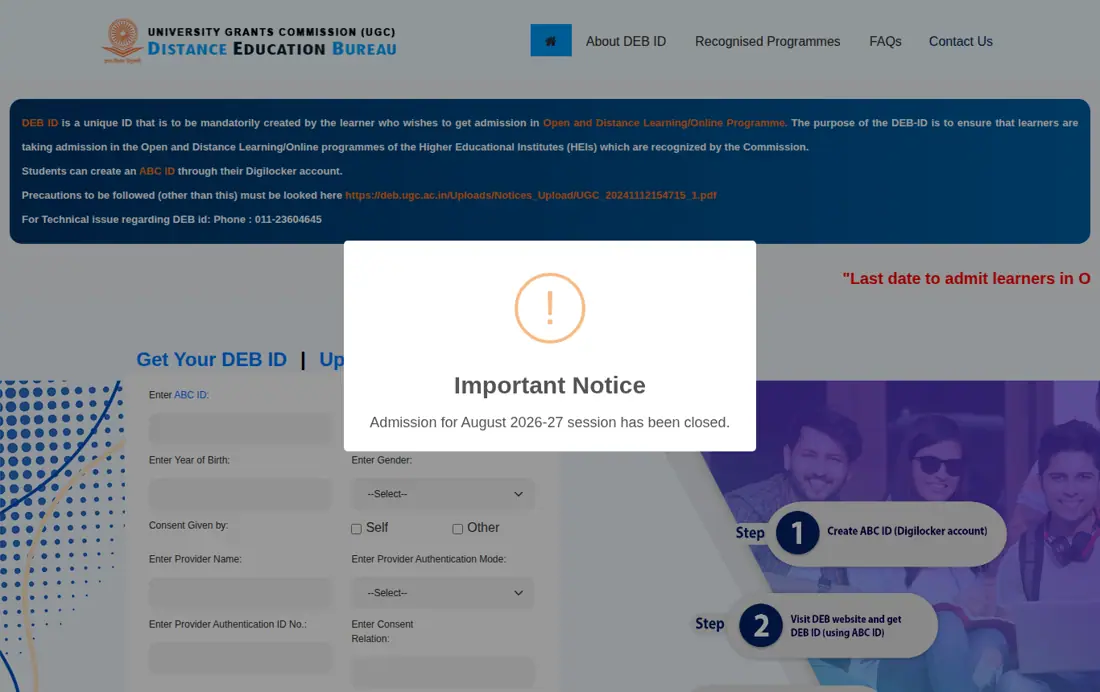
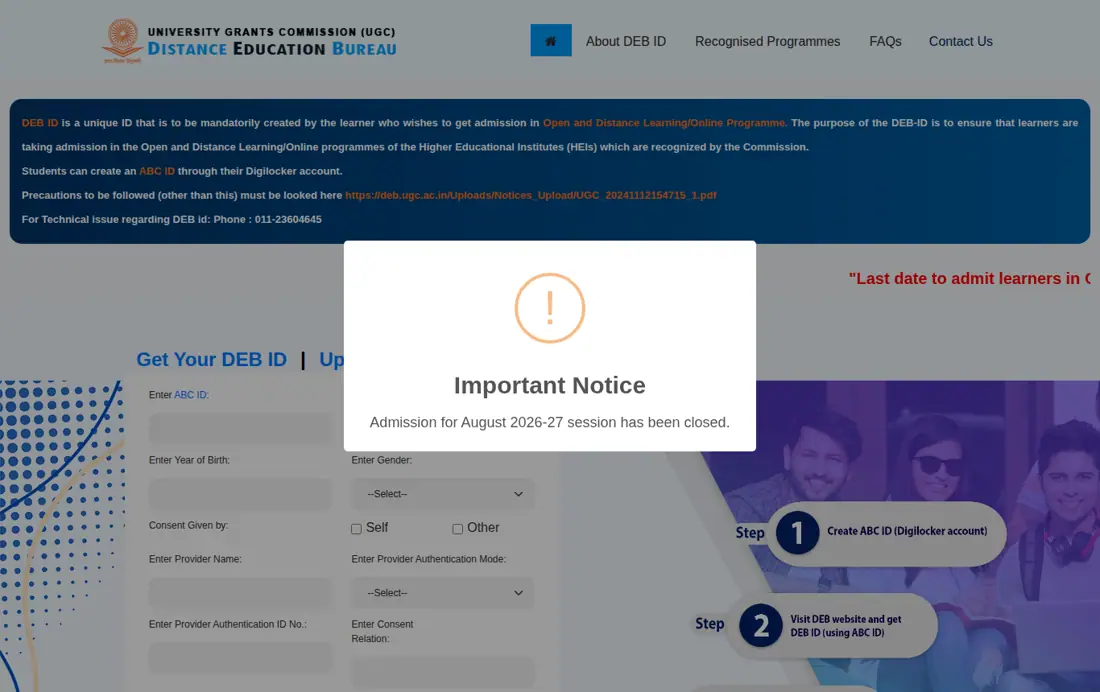
BRAOU-AP DEB ID generation: UGC portal October 2024 mandate
BRAOU-AP distance education applicants must generate a unique Distance Education Bureau ID on the UGC portal as mandated by UGC regulations since October 2024. The DEB ID is created using a valid 12-digit ABC ID and remains valid for lifelong distance learning.
- Open the official UGC DEB student portal at Generate DEB ID on UGC Portal.
- Click on the student portal or create DEB ID option on the homepage.
- Enter your 12-digit ABC ID, Aadhaar name, year of birth, gender, select Self, enter consent place, and solve the captcha.
- Press the Enter button to proceed to the contact details section.
- Provide your permanent email ID and active mobile phone number.
- Check the declaration box confirming all submitted details are accurate and click Submit Application.
- Save the unique DEB ID displayed in the pop-up notification message on screen.
Next steps for BRAOU-AP students
BRAOU-AP DEB ID correction: DigiLocker APAAR and SSC details
BRAOU-AP candidates must ensure that personal details on their APAAR card match their SSC records before generating or updating a DEB ID. Discrepancies in name, date of birth, or gender must be rectified on DigiLocker prior to submitting updates on the UGC portal.
- Review your APAAR card to verify that name, date of birth, and gender match your 10th class memo.
- Submit a query through the ABC Support Ticket System at support.abc.gov.in or use the DigiLocker app if corrections are needed.
- Contact the ABC call center helpline at 18008893511 for assistance with persistent data discrepancies.
- Confirm that all corrections are updated on your official APAAR card.
- Navigate to the Update Your DEB Details portal link to reflect the corrected records in your DEB ID.
BRAOU-AP admission registration: undergraduate scanned document uploads
BRAOU-AP applicants registering for undergraduate First Year courses (B.A., B.Com., B.Sc., B.Li.Sc.) must upload scanned original documents on the admission portal. All files must strictly comply with official dimension and file size guidelines.
- SSC Memo / 10th Class Memo for proof of name, parent names, and date of birth
- Intermediate Certificate, 3-Year Polytechnic Memo, 2-Year ITI Pass Certificate, or Bridge Course Certificate
- Caste Certificate for SC, ST, or BC applicants where applicable
- Physically Handicapped (PH) Certificate for eligible candidates
BRAOU-AP Document Upload Specifications
| Document Type | Accepted Format | File Size Limit | Dimension Standard |
|---|---|---|---|
| Passport Photo | JPG / JPEG / PNG | 10 KB to 200 KB | 200-320 px (W) x 230-520 px (H) |
| Digital Signature | JPG / JPEG / PNG | 5 KB to 50 KB | 100-500 px (W) x 100-300 px (H) |
| Educational Memos | Original PDF / JPG | Valid size | Clear original scan |
| Aadhaar Card | Original PDF / JPG | Valid size | Clear original scan |
BRAOU-AP student helpline: Vijayawada headquarters Monday to Friday support
BRAOU-AP operates dedicated student support channels from its Vijayawada regional headquarters to address login, registration, and technical queries. Support staff are available during official working hours from Monday to Friday.
BRAOU-AP Support Channels and Numbers
| Support Type | Contact Detail | Operating Hours |
|---|---|---|
| Toll-Free Helpline | 1800-425-4868 | Mon-Fri 10:00 AM – 6:00 PM |
| Landline Support | 0866-2434868 / 0866-2434847 | Mon-Fri 10:00 AM – 6:00 PM |
| Technical Support | +91 92479 71035 | Mon-Fri 10:00 AM – 6:00 PM |
| WhatsApp Grievance | 8332863344 | Mon-Fri 10:00 AM – 6:00 PM |
| Official Email | helpdeskdrbraouap@gmail.com | 24/7 Response Channel |
Quick reference
- Official Website
- drbraouap.ac.in
- ABC ID Portal
- abc.gov.in / DigiLocker
- DEB ID Portal
- deb.ugc.ac.in
- ABC ID Format
- 12-Digit Unique Number
- DEB ID Validity
- Lifelong across ODL / OL
- Toll-Free Helpline
- 1800-425-4868
- Headquarters
- Machavaram, Vijayawada – 520008
BRAOU-AP Online Portal: questions students ask
Is a DEB ID mandatory for BRAOU-AP distance learning admissions?
Yes, a unique Distance Education Bureau ID is mandatory for all students enrolling in BRAOU-AP open and distance learning programmes starting from the 2024–25 academic year onwards. The Distance Education Bureau enforced this requirement under UGC regulations issued on 11 November 2024 to standardize admissions across recognized institutions. Students generate this lifelong credential on the official DEB UGC portal using a valid 12-digit Academic Bank of Credits ID. You cannot register or complete admission without providing a verified DEB ID.
How do candidates generate an ABC ID for BRAOU-AP registration?
Candidates generate a 12-digit Academic Bank of Credits ID by signing up on DigiLocker or the official ABC portal at abc.gov.in using an Aadhaar-linked mobile phone number. During setup, candidates must select None under Identity Type and enter Dr. B.R. Ambedkar Open University, Eluru, Andhra Pradesh as their institution. The generated 12-digit number is required immediately to generate a DEB ID on the UGC portal. Students can download their APAAR card directly from the DigiLocker dashboard upon successful registration.
What should candidates do if there is an error in their DEB ID details?
If your DEB ID contains errors, you must first correct your personal details on your APAAR card through DigiLocker or the ABC Support Ticket System at support.abc.gov.in. Alternatively, call the ABC call center helpline at 18008893511 to fix discrepancies in name, date of birth, or gender. Once your APAAR card is updated with correct details matching your 10th class memo, log in to the UGC DEB portal to update your DEB ID. Never update your DEB ID before verifying that your APAAR card is accurate.
Where can admitted BRAOU-AP students download their university ID card?
Admitted learners can log in to the official BRAOU-AP student portal at drbraouap.ac.in to download their official university identity card. After logging in with registered student credentials, candidates can view their personal profiles, fee payment records, and identity cards. The university operates support services through 12 regional centers across Andhra Pradesh for students needing login assistance. If you experience technical login issues, contact the technical helpline at +91 92479 71035 during working hours.
What file size guidelines apply to documents uploaded during BRAOU-AP registration?
BRAOU-AP requires applicants to upload recent passport photographs between 10 KB and 200 KB with dimensions of 200-320 px width and 230-520 px height. Digital signatures must be in JPG, JPEG, or PNG format with file sizes between 5 KB and 50 KB and dimensions of 100-500 px width and 100-300 px height. Educational certificates, SSC memos, and Aadhaar cards must be uploaded as clear, unblurred original scans in PDF or JPG format. Blurry or invalid dimension uploads will result in rejection during verification.
What are the official helpline contacts for BRAOU-AP student technical support?
Students can contact the BRAOU-AP toll-free helpline at 1800-425-4868 or landline numbers 0866-2434868 and 0866-2434847 for general inquiries. For technical portal issues, candidates can reach technical support at +91 92479 71035 or send a WhatsApp message to 8332863344. Written support requests can also be emailed to helpdeskdrbraouap@gmail.com. All telephone helplines operate from Monday to Friday between 10:00 AM and 6:00 PM.
What personal details must match the SSC memo during BRAOU-AP portal registration?
BRAOU-AP requires candidate profile details to strictly match the original SSC or 10th class memo. During portal registration, applicants must enter their name, father’s name, mother’s name, and date of birth exactly as printed on their 10th class certificate. These personal details are verified alongside uploaded scanned documents during admission processing. If any discrepancies exist between your profile and educational records, contact the university helpdesk at helpdeskdrbraouap@gmail.com or call +91 92479 71035 before final submission.
Which qualifying examination certificates are accepted for BRAOU-AP undergraduate admission?
BRAOU-AP accepts specific qualifying examination certificates for admission into undergraduate first-year programmes like B.A., B.Com., B.Sc., and B.Li.Sc. Applicants must upload an Intermediate pass certificate, 10+2 open intermediate memo, 3-year polytechnic pass memo, or 2-year ITI pass certificate. Non-mathematics candidates can also submit a bridge course certificate as qualifying proof. Uploaded files must be clear original scans in PDF or JPG format, as blurry documents will lead to application rejection.
What details are required on the UGC portal to generate a DEB ID for BRAOU-AP?
Candidates creating a DEB ID on the UGC portal at deb.ugc.ac.in must enter their 12-digit ABC ID, Aadhaar name, year of birth, and gender. Applicants must select Self, enter their consent place, solve the captcha, and provide a permanent email address and active mobile number. After ticking the declaration box, submitting the form displays a lifelong DEB ID required for distance learning enrolment. If portal errors occur, verify that your APAAR card details match your Aadhaar records on DigiLocker.
Which academic programmes are prohibited from being offered under ODL mode at BRAOU-AP?
Under UGC regulations, BRAOU-AP cannot offer open and distance learning programmes in engineering, medicine, physiotherapy, pharmacy, nursing, law, or agriculture. Furthermore, M.Phil and Ph.D. research programmes are strictly prohibited through ODL and online modes. Distance learners must ensure their chosen programme is approved on the UGC-DEB portal before taking admission. For queries regarding permitted courses, candidates can contact the BRAOU-AP helpline at 1800-425-4868 or email helpdeskdrbraouap@gmail.com during working hours.
Where is the BRAOU-AP temporary headquarters located for physical student support?
The temporary headquarters of BRAOU-AP is located at the SRR & CVR Govt. Degree College campus in Machavaram, Vijayawada – 520008. Students seeking physical administrative support, verification help, or portal guidance can visit this regional center during official working hours. Operating hours are Monday to Friday between 10:00 AM and 6:00 PM. In addition to headquarters support, BRAOU-AP operates 12 regional centers and 76 study centers across Andhra Pradesh to assist distance learners.
Can candidates enroll in two academic programmes simultaneously at BRAOU-AP using a single DEB ID?
Yes, candidates can take admission simultaneously in two academic programmes using a single DEB ID as per UGC regulations. Once generated on the official UGC portal at deb.ugc.ac.in, the unique DEB ID remains valid across the entire life cycle of ODL and online learning. Students must confirm that both chosen programmes are UGC-DEB recognized and offered within permissible territorial jurisdiction. For eligibility guidance, candidates can contact the BRAOU-AP helpline at 1800-425-4868.
Which category certificates must eligible applicants upload during BRAOU-AP portal registration?
BRAOU-AP requires reserved category and disabled applicants to upload official Caste Certificates or Physically Handicapped certificates during portal registration. Candidates belonging to SC, ST, or BC categories must submit their verified caste certificate, while disabled applicants must upload a valid PH certificate. All documents must be clear original scans uploaded in PDF or JPG format alongside educational records. Uploading blurry or invalid category certificates will lead to application rejection during verification.
What academic resources can students access through the BRAOU-AP student portal?
Admitted learners can access online classes, LMS portals, digital lectures, examination hall tickets, fee records, and exam grades through the BRAOU-AP student portal at drbraouap.ac.in. Active students log in using registered credentials to manage their personal profiles across 76 study centres in Andhra Pradesh. The portal enables distance education candidates from all 12 regional centres to download official hall tickets prior to examinations. If login errors occur on the LMS portal, contact technical support at +91 92479 71035 or email helpdeskdrbraouap@gmail.com.
What territorial jurisdiction rules apply to BRAOU-AP open and distance learning programmes?
BRAOU-AP must conduct all distance learning activities including admissions, counselling, contact classes, and examinations strictly within the state territory of Andhra Pradesh. Under UGC regulations, the university cannot offer any ODL programmes through franchising or outsourced arrangements with private service providers. All 76 Learner Support Centres and 12 regional centres are established and managed directly by the university headquarters. If candidates encounter unauthorized franchisee centres outside Andhra Pradesh, report them to helpdeskdrbraouap@gmail.com.
How can BRAOU-AP students check their application status online?
BRAOU-AP students can check their application status online by logging into the official student portal at drbraouap.ac.in. After completing the new registration process for the 2026 admissions, candidates can access their personal profile using their registered credentials. The portal allows students to view their application progress, submitted documents, and any pending requirements. If you encounter login issues or cannot find your application status, contact the technical helpline at +91 92479 71035 during working hours.
Where to do it: BRAOU-AP Online Portal portals and PDFs
- APAAR ID creation dashboard on DigiLockerdigilocker.gov.in ↗
- Create ABC ID on DigiLocker portaldigilocker.gov.in ↗
- Generate DEB ID on UGC portaldeb.ugc.ac.in ↗
- BRAOU-AP official help and contact pagedrbraouap.ac.in ↗
- Update DEB ID details on UGC portaldeb.ugc.ac.in ↗
- BRAOU-AP ABC ID and DEB ID Creation Guide PDF — Step-by-step PDF guide for ABC ID and DEB ID creation
- here PDF — UGC circular on mandatory DEB ID for ODL enrolments